Stay organized with collections
Save and categorize content based on your preferences.
Application Integration known issues
This page lists all known issues for Application Integration.
Pub/Sub creation blocked by VPC Service Controls
| Status
|
OPEN
|
| Issue
|
If the Pub/Sub API is included in a VPC Service Controls perimeter, creating a Pub/Sub trigger in Application Integration fail. The perimeter blocks the required communication between services during trigger setup.
|
| Workaround
|
To work around this issue, temporarily remove the Pub/Sub API from the VPC Service Controls perimeter, create the Pub/Sub trigger, and then add the Pub/Sub API back to the perimeter. See Use Pub/Sub triggers with VPC Service Controls for instructions on how to update your VPC Service Controls perimeter.
|
| Status
|
OPEN
|
| Issue
|
When two or more Connector Event triggers are configured in the same integration, the integration fails to publish and throws the following error:
" Failed to publish integration. Error: Duplicate Trigger Id
[CONNECTOR_EVENT_TRIGGER_ID] found. Please change trigger Id to make it unique."
This issue is observed when the Connector Event triggers are configured with the same connection and event subscription type.
|
| Workaround
|
To work around this issue, we recommend that you delete the duplicate Connector Event trigger(s) in your integration. You can also edit the Connector Event triggers such that they are not configured to the same connection and event subscription type.
|
Event subscription error when an integration containing Connector Event triggers is uploaded
| Status
|
OPEN
|
| Issue
|
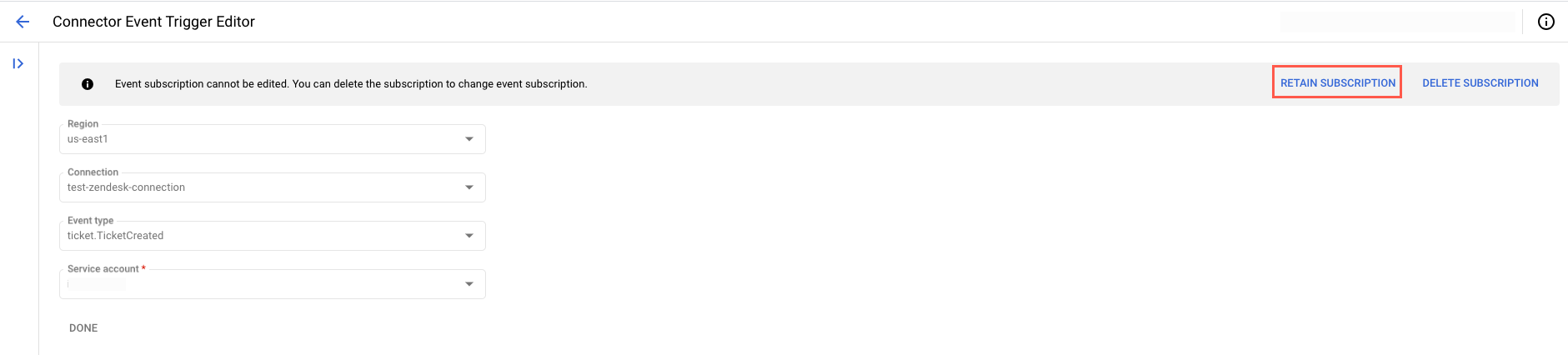
Upon uploading an integration JSON file containing Connector Event triggers, the event subscription status is in an Error state with the following error:
"Subscription does not exist, you can recreate the subscription by re-configuring the trigger."
|
| Workaround
|
To work around this issue, we recommend you to do the following steps:
|
Application Integration fails to set up in a new Google Cloud project
| Status
|
FIXED
|
| Issue
|
The Application Integration setup might fail during the Select region step with the following error:
" Permission 'integrations.authConfigs.create' denied on resource
'//integrations.googleapis.com/projects/PROJECT-ID/locations/REGION' (or it may not exist).
Client creation failed, please try again. "
This issue is observed when you are logged in to two or more different Google Cloud accounts in the same web browser.
|
| Workaround
|
To work around this issue, we recommend you to do the following steps:
-
Sign out of all the Google Cloud accounts that are open in your web browser.
- Sign in to the Google Cloud console with a single Google Cloud account.
- Restart the Application Integration setup process.
|
Integration editor screen compatibility issue
| Status
|
OPEN
|
| Issue
|
The integration editor canvas does not automatically resize in screens smaller than 15 inches, which causes the UI components to overlap within the designer canvas.
|
| Workaround
|
To work around this issue, we recommend that you adjust the zoom_out zoom options for the designer canvas manually.
|
| Status
|
OPEN
|
| Issue
|
In the For Each Loop and While Loop tasks, there's a configuration property names Loop metadata. In the Loop metadata, you will find duplicate keys for the output variables–for example, Current Iteration Count and current_iteration_count.
|
| Workaround
|
We recommend you to use the variables that contain the underscore (_) symbol because the other keys are being deprecated. For example, use the following output variables: sub_integration_execution_ids, failure_location, current_element, iteration_element, and failure_message.
|
Except as otherwise noted, the content of this page is licensed under the Creative Commons Attribution 4.0 License, and code samples are licensed under the Apache 2.0 License. For details, see the Google Developers Site Policies. Java is a registered trademark of Oracle and/or its affiliates.
Last updated 2026-07-31 UTC.
[null,null,["Last updated 2026-07-31 UTC."],[],[]]