

Introduction to workspaces
Workspaces in BigQuery let you edit and manage code stored in repositories. Within a workspace, you can create and modify files while the parent repository uses Git to record changes and manage file versions.
For a folder-based version control experience, we recommend using BigQuery Studio Git repositories. This integration lets you work with Git branches directly in the BigQuery Studio file browser and clone multiple repositories at once without managing separate workspaces.
View workspaces
On the BigQuery page, your workspaces are displayed in alphabetical order under the repository they are associated with. To view repositories, do the following:
In the Google Cloud console, go to the BigQuery page.
In the left pane, click Source control.
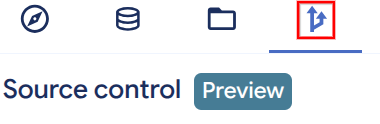
If you don't see the left pane, click Expand left pane to open the pane.
Supported file types
You can create or upload the following types of files to a repository:
- SQL queries
- Python notebooks
- Data canvases
- Data preparations
- Any other types of files
For more information, see Work with files in a workspace.
Git integration
As you create and modify files in a workspace, you can perform Git actions like committing changes and pushing changes to the repository. For more information, see Use version control with a file.
Locations
Each workspace uses the same location as the repository that contains it.
Quotas
Dataform quotas apply to use of BigQuery workspaces.
Pricing
You are not charged for creating, updating, or deleting a workspace, or for storage of the files in a workspace.
For more information on BigQuery pricing, see Pricing.
What's next
- To learn how to manage code with BigQuery Studio Git repositories, see Manage code with BigQuery Studio Git repositories.
- To learn how to create and use repositories, see Create a repository.
- To learn how to create and use workspaces, see Create a workspace.