

Chrome Enterprise Premium documentation
Chrome Enterprise Premium is Google Cloud's secure enterprise browsing solution, providing advanced, integrated security directly within the browser. It builds on Chrome's secure foundation to deliver centralized management, powerful threat and data protection, and Zero Trust access controls to all your web applications.
Defend against real-time phishing and malware, prevent data exfiltration with granular Data Loss Prevention (DLP) policies, and enforce Context-Aware Access to any app (SaaS, cloud, or on-prem) from any device, directly in Chrome.
立获300美元免费赠金
Google Cloud新用户首次注册即可获得300美元赠金。此外,无论新老用户,均可免费使用20多款产品,积累动手实践经验。
立获300美元免费赠金
Google Cloud新用户首次注册即可获得300美元赠金。此外,无论新老用户,均可免费使用20多款产品,积累动手实践经验。
Documentation resources
Related resources

Protect your business on the web
A deep dive into how Chrome Enterprise Premium helps secure businesses against modern web threats and data exfiltration vectors.
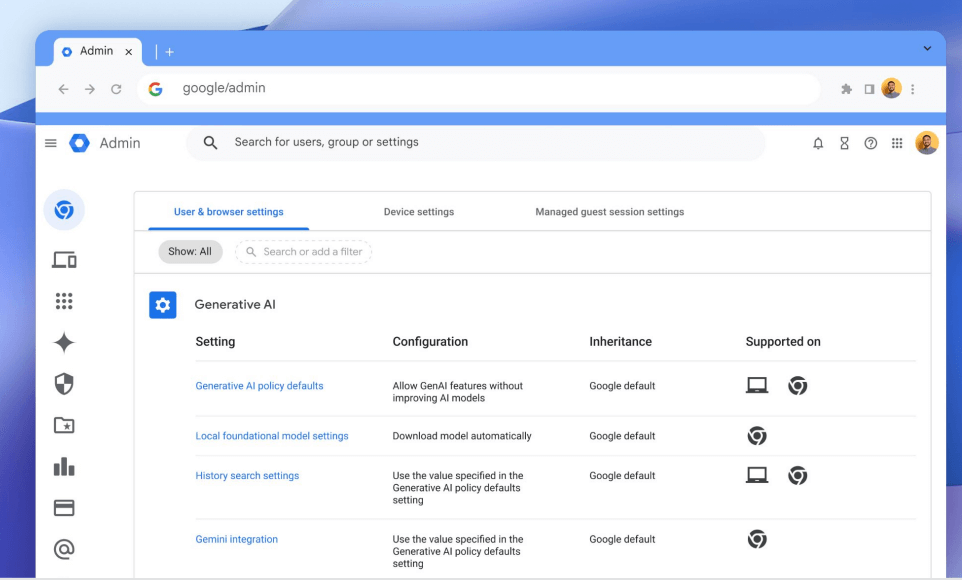
Manage generative AI in the browser
Strategies and policies for enabling productive use of generative AI tools while preventing sensitive data leaks using Chrome.

Video deep dive: Chrome Enterprise Premium
An overview of Chrome Enterprise Premium's vision, architecture, and core security capabilities for threat, data, and access protection.

Snap Inc. reduces GenAI data transfers by 50%
See how Snap Inc. used Chrome Enterprise Premium's DLP to control data flow to AI tools, significantly reducing sensitive data transfers.
TELUS onboards employees 3-4x faster
Learn how TELUS replaced its legacy VPN to boost productivity, enhance security, and speed up onboarding.
Roche stops a major data exfiltration attempt
Read how Roche gained the visibility needed to detect and stop a major data leak within hours.
Hackensack Meridian Health secures patient data
Discover how this healthcare network used Chrome Enterprise Premium's advanced security to reduce support tickets while securing endpoint access to patient data.
Automate browser management with APIs
A GitHub repository with examples in C#, Python, and PowerShell for using the CBCM REST APIs.
Content analysis SDK
Integrate third-party DLP agents and other services with the Chrome Content Analysis Connector.